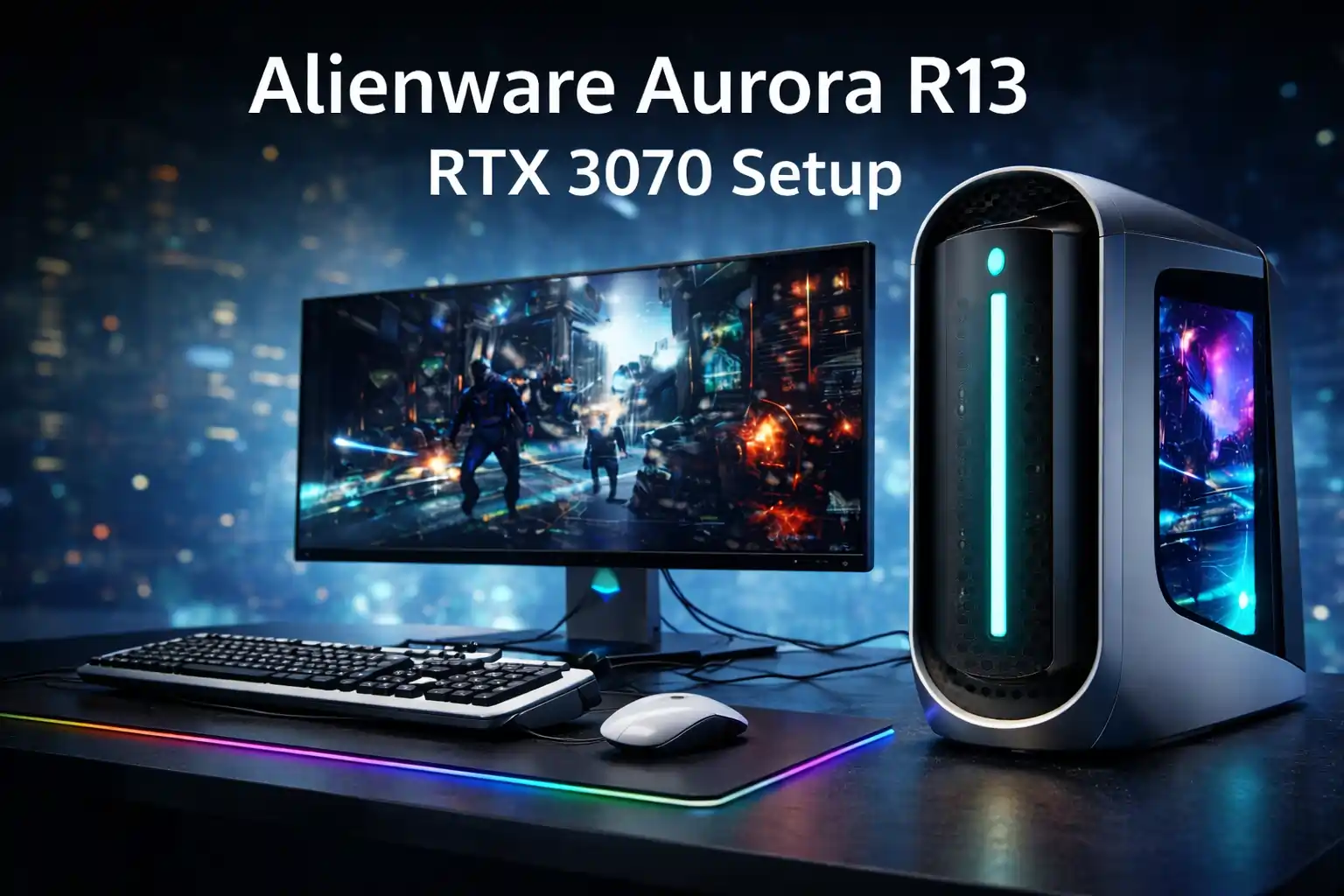
This Alienware Aurora R13 review covers a specific configuration featuring an Intel Core i7-12700KF, NVIDIA GeForce RTX 3070, 64GB DDR5 RAM, and two 2TB SSDs. The Aurora R13 was sold in multiple configurations, so specifications can vary between units. Check the exact configuration and condition before purchasing.
This combination pairs a 12th-generation Intel desktop processor with an Ampere-generation graphics card. The 64GB memory capacity and 4TB of stated SSD storage are generous for multitasking and large game libraries, although real-world performance depends on the game, resolution, settings, cooling, and the condition of the individual system.
The Aurora R13 platform supports different processor, memory, graphics, and storage combinations. For this review, the component details below refer to the configuration stated above; consult Dell’s official Aurora R13 documentation when checking model-specific features and ports.
Alienware Aurora R13 Full Specifications – High-End Gaming Desktop Specs Breakdown
Key Specifications of Alienware Aurora R13 i7-12700KF RTX 3070
- Processor: Intel Core i7-12700KF (12 cores, up to 5.0 GHz)
- Graphics Card: NVIDIA GeForce RTX 3070 (8GB GDDR6)
- Memory: 64GB DDR5 RAM (confirm the installed modules and supported configuration)
- Storage: 2TB NVMe SSD + 2TB SATA SSD (as specified for the reviewed unit)
- Operating System: Windows 11 Pro
- Chipset: Intel Z690
- Networking: Wi-Fi and Ethernet; verify the wireless card and Ethernet speed on the exact unit
- Ports: USB-A, USB-C, audio and network connections; display outputs depend on the installed graphics card
- Cooling: Cooling configuration varies by the system ordered
- RGB Lighting: AlienFX customizable lighting
The processor’s core count and maximum turbo frequency are documented by Intel’s official Core i7-12700KF specifications. For the Aurora R13 itself, use Dell’s manuals and service documentation because the factory options differ by configuration.
Alienware Aurora R13 Design Review – Futuristic Gaming Tower with Premium Build
Bold Design and Premium Alienware Aesthetic
The Aurora R13 uses an oval-shaped chassis that gives it a distinctive appearance compared with conventional desktop towers. If you are comparing desktop form factors, browse our computer guides and tutorials for more hardware-related content.
The AlienFX RGB lighting system provides customizable lighting. Dell explains the available lighting zones and controls in its Alienware Command Center documentation.
Build Quality and Structural Engineering
This gaming desktop is built with:
- Premium materials
- Reinforced internal structure
- Spacious airflow design
As a result, the system ensures durability while maintaining efficient thermal performance.
Additionally, its tool-less design simplifies upgrades, making it both powerful and practical.
The Intel Core i7-12700KF uses a hybrid design with 12 cores and 20 threads. Intel lists eight Performance-cores and four Efficient-cores; see the official CPU specification sheet for clock speeds, power ratings, and memory support.
This CPU can:
- Handle AAA gaming effortlessly
- Run multiple applications simultaneously
- Execute heavy rendering and editing tasks
The i7-12700KF has 12 cores (8 Performance-cores and 4 Efficient-cores), 20 threads, and a maximum turbo frequency of 5.0 GHz according to Intel’s product specifications. Actual sustained performance depends on power limits and cooling.
Hybrid Architecture Advantage
Intel’s hybrid architecture combines:
- Performance cores (P-cores)
- Efficiency cores (E-cores)
This ensures optimal workload distribution, improving both speed and power efficiency.
RTX 3070 Gaming Experience – Smooth, Fast, Immersive
The GeForce RTX 3070 includes 8GB of GDDR6 memory. It is generally better suited to 1440p gaming than demanding native 4K workloads, where settings may need to be reduced. Results vary considerably by game and graphics settings. NVIDIA lists the card’s memory and GPU specifications on its official GeForce RTX 3070 page.
It supports:
- Ray Tracing for realistic lighting
- DLSS for enhanced performance using AI
For a fair assessment, compare independent benchmarks at the same resolution and graphics settings. This article does not include measured frame rates from a physical test of this exact Aurora R13 unit, so no specific FPS result is claimed here. You can find more hardware coverage in our computer and technology product reviews.
Creative Workloads and GPU Acceleration
Beyond gaming, the RTX 3070 excels in:
- Video editing
- 3D rendering
- AI workloads
The RTX 3070 can also accelerate supported creative applications, but suitability depends on the software, project size, and workload. It should not be described as universally ideal for every professional task.
Massive Memory Capacity for Power Users
With 64GB DDR5 RAM, this system is designed for:
- Heavy multitasking
- Professional workflows
- Streaming + gaming simultaneously
Compared to standard 16GB setups, this configuration offers:
- Faster data processing
- Reduced latency
- Enhanced system responsiveness
DDR5 Advantage Over DDR4
DDR5 provides:
- Higher bandwidth
- Better energy efficiency
- Future compatibility
64GB can be useful for demanding multitasking, virtual machines, content creation, and large projects. It does not automatically make every application faster; the benefit depends on whether the workload needs that much memory.
Blazing Fast Storage Speed and Massive Capacity
This configuration includes:
- 2TB NVMe SSD (primary drive)
- 2TB SATA SSD (secondary storage)
This combination ensures:
- Ultra-fast boot times
- Rapid application loading
- Massive storage for games and files
Perfect Balance of Speed and Capacity
Unlike traditional HDD setups, both drives are SSDs, meaning:
- Faster data access
- No mechanical delays
- Improved system reliability
Connectivity and Ports – Advanced I/O for Maximum Flexibility
Comprehensive Port Selection
The Aurora R13 includes:
- DisplayPort + HDMI (for multi-monitor setups)
- USB-C and USB 3.2 ports
- Audio ports including S/PDIF
- Ethernet + Wi-Fi 6
Port selection and exact transfer capabilities should be checked against Dell’s Aurora R13 ports and connectors guide. The rear and front panels do not provide identical connections.
Cooling and Thermal Engineering – Efficient Heat Management
Advanced Airflow and Cooling Design
Alienware integrates:
- Optimized airflow channels
- Strategic fan placement
- Optional liquid cooling systems
Cooling hardware can differ between Aurora R13 configurations. Do not assume that every unit includes liquid cooling. For a useful review, record CPU and GPU temperatures, fan noise, and clock behaviour during a repeatable gaming or stress test.
With this configuration, users can expect:
- Ultra settings at 1440p
- Smooth 4K gaming in optimized titles
- Stable FPS in competitive games
The CPU and 64GB of RAM can help with simultaneous gaming, recording, and background applications. However, performance will depend on the game, encoder, recording settings, and thermal limits; avoid claiming that frame rates never drop without test data.
Upgradeability and Expandability – Future-Proof Gaming Desktop
Scalable Hardware Architecture
Dell’s documentation lists the platform’s internal expansion options, but the available upgrade path depends on the installed motherboard, power supply, cooling system, and chassis configuration. Check the official expansion and connector information before buying replacement parts.
- Memory capacity supported by the exact motherboard and memory configuration
- Additional storage via M.2 and SATA
- PCIe expansion slots
Upgradeability is a potential advantage, not a guarantee of future compatibility. Confirm component dimensions, power requirements, firmware support, and Dell-specific connections before planning an upgrade.
Pros and Cons – Balanced Evaluation
Pros of Alienware Aurora R13
- Extremely powerful i7-12700KF processor
- High-end RTX 3070 graphics performance
- Massive 64GB DDR5 RAM
- Dual SSD storage (fast + large capacity)
- Premium futuristic design
- Advanced cooling system
- Strong upgrade potential
- Excellent for gaming and professional tasks
Cons of Alienware Aurora R13
- Premium pricing even in renewed condition
- Large and heavy chassis
- Proprietary components may limit customization
The Aurora R13 excels because it combines:
- Raw power
- Modern architecture
- Premium engineering
The combination is capable on paper, but its value depends on the price, condition, warranty, cooling configuration, and the performance you need. Compare it with newer desktops and current-generation components before deciding.
Why This Alienware Aurora R13 Configuration Is a Smart High-End Investment
Whether this configuration is a good purchase depends on its asking price, condition, warranty coverage, and the alternatives available in your market.
This Alienware Aurora R13 (i7-12700KF + RTX 3070 + 64GB RAM) is a high-spec configuration for gaming and demanding desktop workloads. Its strengths are the 12-core processor, dedicated graphics, and generous memory; its limitations include the age of the platform, the 8GB graphics memory, and the need to verify the condition of a used or renewed unit.
It offers:
- Incredible speed
- Stunning graphics
- Massive memory capacity
- A flexible desktop platform, subject to component compatibility
If you are considering a renewed unit, review the seller’s return policy, warranty, refurbishment details, and exact component list. A renewed label alone does not guarantee a particular condition or performance level.
Final Thoughts – Elite Gaming Desktop with Unstoppable Power
The Alienware Aurora R13 remains a distinctive desktop platform, but this configuration should be judged on its verified components, actual condition, cooling performance, and price rather than broad claims of superiority.
Its combination of:
- Advanced CPU architecture
- Powerful GPU
- Massive RAM and storage
make it worth considering when the price and condition are competitive. Buyers should compare it with newer systems before making a decision.
Overall Rating
⭐ 8.5 / 10
Official Sources and Further Reading
Use the following manufacturer references to verify platform and component specifications:
FAQ – Alienware Aurora R13 Gaming Desktop
Is the RTX 3070 good for modern gaming?
The RTX 3070 can deliver good 1440p performance in many games, but results depend on the title, graphics settings, and use of ray tracing or DLSS. Demanding games may require reduced settings, particularly at 4K.
Is 64GB RAM overkill?
For casual users, yes. However, for creators and power users, it is extremely beneficial.
Can I upgrade this desktop later?
Some memory, storage, and graphics upgrades may be possible, but compatibility is not universal. Check Dell’s service manual and verify the power supply, dimensions, connectors, and supported components before upgrading.
Is the renewed version reliable?
Not automatically. Reliability depends on the refurbisher, testing process, component condition, warranty, and return policy. Ask for the exact specifications and written warranty terms before purchasing.
Does it support 4K gaming?
It can output a 4K signal and run some games at 4K, but demanding titles may need lower settings or upscaling. The RTX 3070 is generally a more comfortable fit for 1440p gaming.
Final Insight
The Alienware Aurora R13 with an i7-12700KF, RTX 3070, 64GB RAM, and 4TB of stated SSD storage can be an interesting option if the unit is in good condition and priced appropriately. Verify the complete specification, cooling system, warranty, and upgrade compatibility before purchasing. For more computer coverage, explore our technology tutorials and guides and our product reviews.