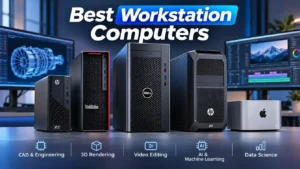
Choosing the best workstation computer in 2026 requires more than looking at processor speed or graphics performance. Professionals working in engineering, 3D design, artificial intelligence (AI), video production, and data science need a system capable of handling demanding workloads reliably.
Unlike standard desktop computers, workstation PCs are designed for professional applications that require powerful processors, advanced graphics, large memory capacities, and reliable performance.
The American market offers several established workstation families from manufacturers such as Dell, HP, and Lenovo. From powerful tower systems to compact professional desktops, there are options for different budgets and workloads.
In this guide, we explore what makes a workstation computer different from a regular desktop, which specifications matter most, and the best workstation computers to consider in 2026.
1. What Is a Workstation Computer?
A workstation computer is a high-performance desktop system designed for professional and technical workloads. It offers more processing power, memory capacity, graphics capabilities, and expansion options than many standard desktop computers.
While a regular PC is suitable for everyday activities such as browsing, office applications, and entertainment, a workstation is built for more demanding professional tasks.
Common workstation applications include:
- Computer-Aided Design (CAD): Engineering, architecture, and product design.
- 3D Modeling and Rendering: Creating complex 3D models, animations, and visual effects.
- Video Production: Editing high-resolution footage and processing professional media.
- Artificial Intelligence: Developing machine learning models and running AI workloads.
- Scientific Computing: Processing large datasets and performing complex simulations.
- Software Development: Compiling large applications and managing resource-intensive environments.
Key Components of a Workstation PC
Processor (CPU)
The CPU handles calculations, multitasking, simulations, and other demanding operations. Professional workstations commonly use Intel Xeon, Intel Core Ultra, and AMD Ryzen Threadripper PRO processors.
Graphics Processing Unit (GPU)
A dedicated GPU accelerates 3D rendering, CAD applications, AI workloads, and professional visualization. NVIDIA RTX PRO graphics cards are particularly relevant to professional workstation environments.
Memory (RAM)
Memory capacity is important when working with large projects, complex models, and multiple professional applications.
For many professional workloads, 32GB is a reasonable starting point, while 64GB or 128GB may be preferable for more demanding tasks.
Storage
NVMe SSDs provide fast application loading, file transfers, and project access. Professionals working with large datasets may also need additional storage capacity.
Cooling and Power Supply
Workstations require suitable cooling and power delivery to maintain consistent performance during extended processing sessions.
2. Workstation vs Desktop Computer: Key Differences
Although workstation computers and standard desktop PCs share similar hardware components, they are designed for different purposes.
A standard desktop focuses on everyday computing, while a workstation is optimized for specialized professional applications.
| Feature | Standard Desktop | Workstation PC |
|---|---|---|
| Main purpose | Everyday computing | Professional workloads |
| Processor | Consumer CPUs | Professional and high-performance CPUs |
| Graphics | Integrated or gaming GPUs | Professional GPUs |
| Memory | Consumer memory configurations | Higher capacity and ECC options |
| Storage | Standard SSD | High-speed and expandable storage |
| Reliability | General consumer use | Professional environments |
| Expandability | Depends on the model | Often extensive |
| Price | Generally lower | Generally higher |
Are Workstation Computers Better Than Desktop PCs?
Not necessarily.
A workstation is a better choice when your applications require professional graphics, substantial memory capacity, advanced processing power, or specialized hardware support.
However, if you mainly use office applications, browse the internet, or perform basic tasks, a standard desktop computer may offer better value.
The right choice depends on your workload rather than simply choosing the most expensive computer.
3. Best Workstation PC Features to Consider
Before purchasing a workstation computer, it is important to understand which specifications influence performance.
Processor: Intel Xeon vs AMD Threadripper PRO
The CPU plays an important role in workstation performance.
Intel Xeon processors are designed for professional environments that require strong multi-core performance, memory scalability, and support for ECC memory on compatible platforms.
AMD Ryzen Threadripper PRO processors target demanding workloads such as 3D rendering, engineering simulations, scientific computing, and professional content creation.
Intel Core Ultra processors are also suitable for many workstation applications, particularly workloads that benefit from strong single-core performance.
Graphics Card: NVIDIA RTX PRO
Professional graphics cards are designed for applications such as CAD, 3D visualization, rendering, and AI development.
Popular workstation GPU families include:
- NVIDIA RTX PRO Blackwell.
- NVIDIA RTX PRO Ada Generation.
- NVIDIA RTX A-Series.
Professional graphics cards offer specialized drivers and features designed for professional workflows. However, the best GPU depends on the applications you use and their compatibility requirements.
RAM: How Much Memory Do You Need?
The amount of RAM required depends on your workload.
| RAM Capacity | Recommended Workload |
|---|---|
| 32GB | General professional work and development |
| 64GB | CAD, video editing, and 3D modeling |
| 128GB | Large simulations and advanced content creation |
| 256GB+ | Complex engineering and demanding datasets |
ECC memory is another important consideration. It can detect and correct certain memory errors, making it valuable for applications where data integrity is important.
Storage: SSD vs NVMe
An NVMe SSD is generally recommended for professional workstation computers because it offers fast data access and application loading.
Consider these storage capacities:
- 1TB NVMe SSD for general professional use.
- 2TB NVMe SSD for larger projects.
- 4TB or more for extensive media libraries and datasets.
A secondary storage drive can also help separate operating system files from professional projects.
Expandability and Connectivity
A workstation should offer sufficient expansion options for future upgrades.
Look for:
- Available PCIe expansion slots.
- Additional M.2 storage slots.
- Multiple display outputs.
- USB-C and Thunderbolt connectivity where required.
- Suitable power supply capacity.
- Upgradeable memory and cooling options.
These features can extend the useful life of a workstation and make future upgrades easier.
4. Workstation Computers for Professional Use
Different professional applications require different workstation configurations.
Choosing a computer based on your actual workload can prevent unnecessary spending while ensuring sufficient performance.
| Professional Use | Recommended Configuration |
|---|---|
| CAD and Engineering | Core Ultra or Xeon, RTX PRO GPU, 64GB RAM |
| 3D Modeling and Rendering | Threadripper PRO or Xeon, powerful RTX PRO GPU, 128GB RAM |
| Video Editing | Core Ultra or Ryzen, dedicated GPU, 64GB RAM |
| AI and Machine Learning | High-memory GPU, powerful CPU, 128GB+ RAM |
| Data Science | Multi-core CPU, 64GB RAM, fast NVMe SSD |
| Software Development | Core Ultra or Ryzen, 32GB–64GB RAM |
Workstations for CAD and Engineering
Engineering professionals often work with large CAD assemblies, technical simulations, and detailed 3D models.
A workstation with a professional NVIDIA RTX PRO GPU, sufficient RAM, and a powerful processor can improve workflow efficiency.
Workstations for 3D Rendering
3D rendering applications such as Blender and professional visualization tools benefit from powerful GPUs and multi-core processors.
For these workloads, GPU memory capacity and rendering performance should be major purchasing considerations.
Workstations for AI Development
AI development places significant demands on graphics memory, processing power, and system memory.
Professionals working with local AI models should pay particular attention to GPU VRAM. A powerful workstation with insufficient graphics memory may still struggle with larger models.
5. How Much Does a Workstation PC Cost?
Workstation prices vary considerably depending on the processor, graphics card, memory capacity, storage, and manufacturer.
In the United States, workstation computers range from entry-level professional configurations to high-end enterprise systems costing tens of thousands of dollars.
Here is a general purchasing framework:
| Price Range (USD) | Workstation Category | Typical Use |
|---|---|---|
| Under $2,000 | Entry-level | Development and moderate professional workloads |
| $2,000–$5,000 | Mid-range | CAD, design, and professional editing |
| $5,000–$10,000 | High-performance | Advanced rendering and engineering |
| $10,000–$20,000+ | Enterprise / High-end | AI, complex simulations, and demanding workloads |
These are indicative budget categories, not fixed market prices. Actual prices depend on the selected configuration and available offers.
For example, the Lenovo ThinkStation P3 Tower Gen 2 is an interesting entry-level professional option, while high-end systems such as the Dell Pro Precision 9 T2 can reach considerably higher prices depending on the selected CPU, GPU, and memory configuration.
Before purchasing, compare the exact hardware configuration rather than relying only on the workstation model name.
6. Best Workstation Computers in 2026
The US workstation market includes several established manufacturers offering systems for different professional requirements.
The following selection brings together workstation models recognized in independent testing and professional product recommendations in 2026.
These recommendations are organized by workload and form factor rather than sales volume.
1. Dell Pro Precision 9 T2 – Best Overall Workstation
The Dell Pro Precision 9 T2 is a high-end workstation designed for professionals who need substantial CPU performance, professional graphics, and extensive expansion capabilities.
Its tested configuration includes:
- Intel Xeon 658X processor.
- NVIDIA RTX PRO 6000 Blackwell graphics.
- Professional ECC memory support.
- High-speed storage options.
- Expandable workstation architecture.
One of its main advantages is its combination of multi-core processing power, professional graphics, and advanced storage capabilities.
It is particularly suitable for demanding engineering workloads, advanced simulations, and professional computing environments.
Best for: Engineering simulations, professional rendering, enterprise computing, and demanding technical applications.
Check Price on Amazon: [INSERT AMAZON AFFILIATE LINK – DELL PRO PRECISION 9 T2]
2. Dell Pro Max Tower T2 – Best Scalable Workstation
The Dell Pro Max Tower T2 offers a powerful workstation platform for professionals who need high-end graphics performance and substantial upgrade possibilities.
Its tested configuration includes:
- Intel Core Ultra 9 285K.
- NVIDIA RTX PRO 6000 Blackwell.
- DDR5 memory.
- High-speed NVMe storage.
- Expandable tower design.
Its graphics performance makes it particularly interesting for GPU rendering and professional visual computing.
The system also offers a more accessible starting configuration than some flagship workstation platforms.
Best for: 3D rendering, AI development, graphics-intensive applications, and professional content creation.
Check Price on Amazon: [INSERT AMAZON AFFILIATE LINK – DELL PRO MAX TOWER T2]
3. Lenovo ThinkStation P3 Tower Gen 2 – Best Entry-Level Workstation
The Lenovo ThinkStation P3 Tower Gen 2 is designed for professionals who need a balance between processing power, expandability, and overall cost.
Its reviewed configurations can include:
- Intel Core Ultra 7 or Core Ultra 9 processors.
- NVIDIA RTX professional graphics.
- DDR5 memory, depending on the configuration.
- NVMe SSD storage.
- Expandable tower chassis.
The system offers a flexible platform for professional applications without requiring an extremely expensive flagship workstation configuration.
It is also a practical starting point for professionals who may need additional memory or storage in the future.
Best for: CAD, engineering, financial analysis, 3D modeling, and professional development.
Check Price on Amazon: [INSERT AMAZON AFFILIATE LINK – LENOVO THINKSTATION P3 TOWER GEN 2]
4. Lenovo ThinkStation P3 Ultra SFF Gen 2 – Best Compact Workstation
The ThinkStation P3 Ultra SFF Gen 2 is designed for professionals who need workstation-class computing in a smaller desktop environment.
Its tested configuration includes:
- Intel Core Ultra 9 285.
- NVIDIA RTX 4000 SFF Ada graphics.
- Compact small-form-factor chassis.
- Professional workstation architecture.
Its smaller footprint makes it suitable for offices and workspaces where desk space is limited.
However, its compact design places limitations on graphics performance compared with larger workstation towers.
Best for: CAD professionals, office-based engineering, and compact professional environments.
Check Price on Amazon: [INSERT AMAZON AFFILIATE LINK – LENOVO THINKSTATION P3 ULTRA SFF GEN 2]
5. HP Z2 Mini G1a – Best Mini Workstation
The HP Z2 Mini G1a combines professional computing capabilities with a compact form factor.
Its reviewed configuration includes:
- AMD Ryzen AI Max+ PRO 395.
- Integrated Radeon 8060S graphics.
- Up to 128GB unified memory in the reviewed configuration.
- Compact 2.8-liter chassis.
Its integrated graphics architecture and substantial unified memory make it an interesting choice for certain professional computing and AI workloads.
One important consideration is that its memory is not user-upgradable in the reviewed configuration.
Best for: Compact workspaces, data analysis, professional development, and selected AI applications.
Check Price on Amazon: [INSERT AMAZON AFFILIATE LINK – HP Z2 MINI G1A]
6. Dell Pro Max Micro – Best Mini Workstation with Dedicated Graphics
The Dell Pro Max Micro is designed for professionals who need dedicated professional graphics in a very small desktop computer.
Its tested configuration includes:
- Intel Core Ultra 9 285.
- NVIDIA RTX PRO 4000 Blackwell SFF.
- 24GB GPU memory.
- Compact chassis of approximately 2.9 liters.
Unlike systems relying exclusively on integrated graphics, this workstation provides a dedicated professional GPU.
Its compact design is particularly attractive for specialized professional environments.
Best for: Compact AI development, professional graphics applications, and space-constrained workspaces.
Check Price on Amazon: [INSERT AMAZON AFFILIATE LINK – DELL PRO MAX MICRO]
7. Dell Precision 7875 – Best for Advanced AI and Multi-GPU Workloads
The Dell Precision 7875 is a high-performance workstation designed for demanding professional applications.
Its platform uses AMD Ryzen Threadripper PRO processors and supports professional NVIDIA graphics configurations.
In StorageReview’s dual-GPU configuration, the workstation was equipped with:
- AMD Ryzen Threadripper PRO 9995WX.
- Two NVIDIA RTX PRO 6000 Blackwell GPUs.
- 192GB of combined GPU memory.
- 512GB DDR5 ECC system memory in the reviewed configuration.
Its dual-GPU architecture makes it particularly interesting for local AI inference, advanced visualization, and computationally intensive applications.
The workstation supports a maximum of two double-width graphics cards, so its expansion capacity should be considered before purchasing.
Best for: Local AI development, advanced rendering, scientific computing, and demanding GPU workloads.
Check Price on Amazon: [INSERT AMAZON AFFILIATE LINK – DELL PRECISION 7875]
8. HP Z8 Fury G6i – Best Multi-GPU Workstation
The HP Z8 Fury G6i is a high-end workstation designed for demanding professional applications, particularly AI development and advanced graphics processing.
Its reviewed configuration includes:
- Intel Xeon 696X processor.
- Two NVIDIA RTX PRO 6000 Blackwell Max-Q GPUs.
- 128GB DDR5 ECC memory.
- Multiple NVMe SSDs.
One of its most important advantages is its expansion capacity. The platform supports up to four NVIDIA RTX PRO 6000 Blackwell Max-Q graphics cards in compatible configurations.
This makes it particularly suitable for organizations that need substantial GPU capacity and room for future expansion.
Best for: Enterprise AI development, multi-GPU computing, advanced rendering, and scientific workloads.
Check Price on Amazon: [INSERT AMAZON AFFILIATE LINK – HP Z8 FURY G6I]
9. Apple Mac Studio with M5 Ultra – Best Workstation-Grade Mac Desktop
The Apple Mac Studio with the M5 Ultra chip is a compact professional desktop designed for demanding creative and computational workloads.
Its main strengths include:
- Apple M5 Ultra processor.
- High-performance integrated GPU architecture.
- Large unified memory configurations.
- Thunderbolt 5 connectivity.
- Compact desktop design.
The Mac Studio is particularly attractive for professionals working with video production, software development, creative applications, and certain local AI workloads.
However, it runs macOS rather than Windows, and some engineering applications may require Windows-based workstation hardware.
Its memory and internal storage are not user-upgradable after purchase, so choosing the right configuration is important.
Best for: Professional video editing, creative production, software development, and macOS-based workflows.
Check Price on Amazon: [INSERT AMAZON AFFILIATE LINK – APPLE MAC STUDIO M5 ULTRA]
Workstation Comparison Table
| Workstation | Main Advantage | Best Use |
|---|---|---|
| Dell Pro Precision 9 T2 | Overall performance | Enterprise workloads |
| Dell Pro Max Tower T2 | GPU performance and scalability | Rendering and AI |
| Lenovo ThinkStation P3 Tower Gen 2 | Balanced performance | CAD and engineering |
| Lenovo ThinkStation P3 Ultra SFF Gen 2 | Compact workstation | Professional offices |
| HP Z2 Mini G1a | Small form factor | Development and AI |
| Dell Pro Max Micro | Dedicated GPU in a compact design | Compact AI workloads |
| Dell Precision 7875 | Advanced processing and graphics | Data science and AI |
| HP Z8 Fury G6i | Multi-GPU expansion | Enterprise AI |
| Apple Mac Studio M5 Ultra | Apple silicon performance | Creative production |
Note: Product configurations, prices, and availability can change. Always verify the exact specifications before purchasing.
7. Frequently Asked Questions About Workstation PCs
What is the best workstation computer in 2026?
The best workstation depends on your professional requirements.
The Dell Pro Precision 9 T2 is a strong overall choice based on StorageReview’s November 2026 laboratory testing.
The Dell Pro Max Tower T2 is another attractive option for GPU-intensive workloads, while the Lenovo ThinkStation P3 Tower Gen 2 offers a more accessible entry into professional workstation computing.
For multi-GPU AI workloads, the Dell Precision 7875 and HP Z8 Fury G6i are particularly interesting options.
Are workstation computers good for gaming?
Yes, workstation computers can run many modern PC games, particularly when equipped with powerful dedicated graphics cards.
However, professional workstation GPUs and gaming GPUs are optimized for different purposes. If gaming is your primary activity, a dedicated gaming desktop may offer better value.
How much RAM does a workstation need?
For many professional workloads, 32GB is a reasonable starting point.
However, 64GB is preferable for more demanding applications such as CAD, video editing, and 3D modeling.
Advanced simulations, large datasets, and certain AI workloads may require 128GB or more.
What is the difference between NVIDIA RTX PRO and GeForce RTX?
NVIDIA RTX PRO graphics cards are designed for professional applications, including CAD, visualization, rendering, and enterprise computing.
GeForce RTX graphics cards primarily target gaming and consumer content creation.
Both families provide powerful GPU performance, but their drivers, certifications, and professional features differ.
Are workstation computers worth the money?
A workstation can be worth the investment when your professional applications require high performance, reliability, advanced memory support, or specialized graphics capabilities.
For everyday computing, however, a standard desktop PC may be a more economical choice.
Which workstation brand is best: Dell, HP, or Lenovo?
All three manufacturers offer established professional workstation families.
- Dell Precision and Pro Max: Suitable for configurable professional systems and enterprise environments.
- HP Z Workstations: Offer options ranging from compact workstations to powerful multi-GPU systems.
- Lenovo ThinkStation: Provides flexible tower and compact workstation configurations.
The best manufacturer depends on the specific model, configuration, warranty, software compatibility, and available support.
Can a workstation run AI models locally?
Yes. Workstations equipped with powerful GPUs and sufficient graphics memory can run certain AI models locally.
However, the size of the model, GPU VRAM, system memory, and software requirements determine which models can run efficiently.
For advanced AI development, GPU memory capacity is particularly important.
Final Thoughts
Choosing the best workstation computer in 2026 requires understanding your workload, hardware requirements, and budget.
For professionals who need high-end performance, the Dell Pro Precision 9 T2 and Dell Pro Max Tower T2 offer powerful configurations.
The Lenovo ThinkStation P3 Tower Gen 2 is a compelling option for balanced professional computing, while the HP Z2 Mini G1a and Dell Pro Max Micro provide alternatives for compact workspaces.
For demanding graphics and computational workloads, the Dell Precision 7875 and HP Z8 Fury G6i are worth considering. Meanwhile, the Apple Mac Studio M5 Ultra is an attractive option for professionals working within the macOS ecosystem.
Ultimately, the best workstation PC is not necessarily the most expensive one. It is the system that delivers the right combination of processing power, graphics performance, memory, storage, and expandability for your specific professional needs.
Before purchasing, compare available configurations and current prices to find the workstation that offers the best value for your workload.