Alienware Aurora R13 Gaming Desktop Review: Performance, Features & Verdict
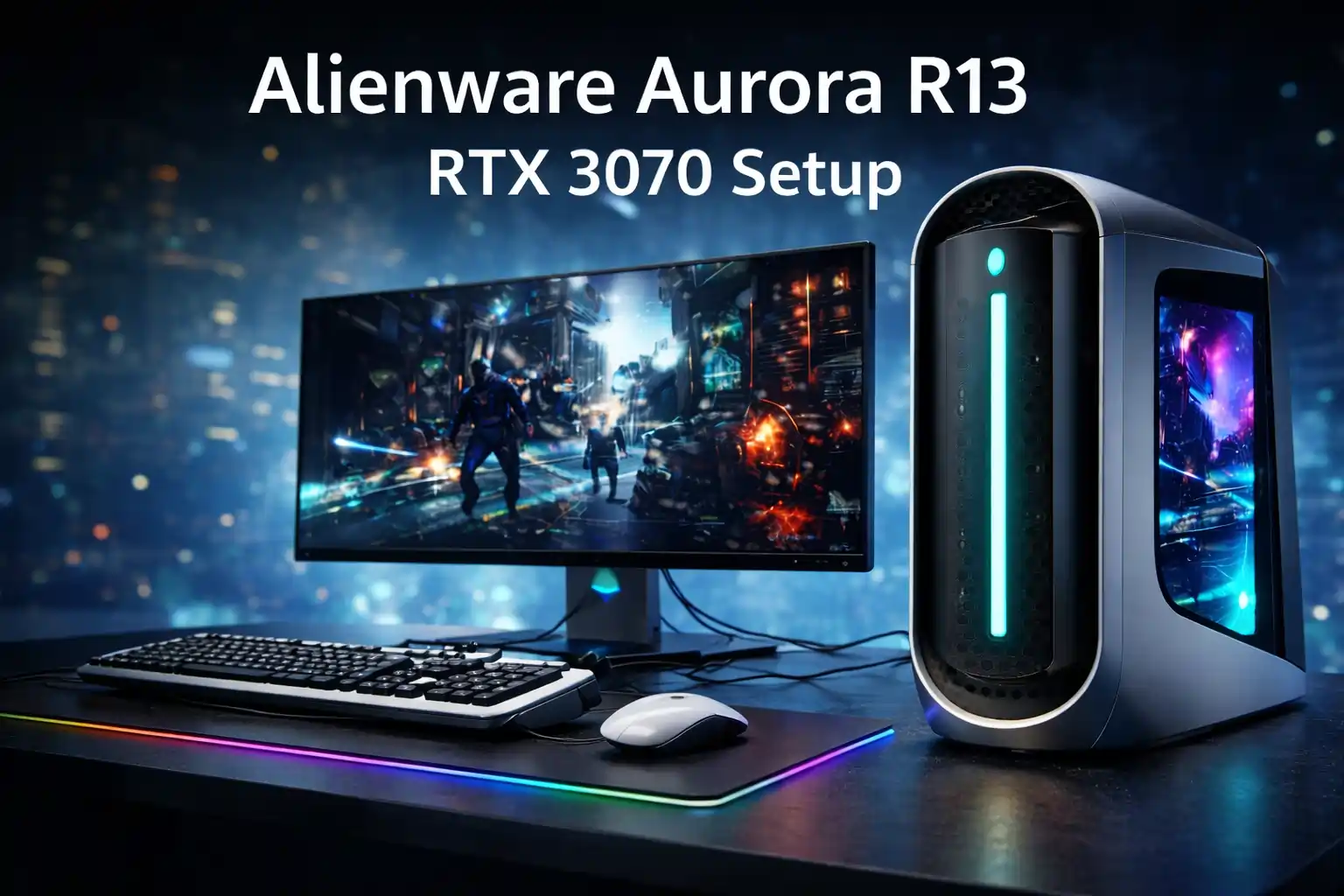
The Alienware Aurora R13 review — with Intel Core i7-12700KF, RTX 3070, 64GB RAM, and dual 2TB storage is not just another gaming PC—it is a high-end performance monster engineered for dominance. From the very first glance, this machine communicates power, innovation, and futuristic engineering.
In today’s competitive gaming landscape, performance matters more than ever. Fortunately, this configuration delivers a perfect synergy between CPU, GPU, memory, and storage, ensuring lightning-fast responsiveness, immersive visuals, and seamless multitasking.
Moreover, the Aurora R13 is built on Intel’s 12th Gen Alder Lake architecture, which introduces hybrid cores for better efficiency and raw performance. Combined with DDR5 RAM and PCIe capabilities, this system provides a next-level computing experience. ()
Alienware Aurora R13 Full Specifications – High-End Gaming Desktop Specs Breakdown
Key Specifications of Alienware Aurora R13 i7-12700KF RTX 3070
- Processor: Intel Core i7-12700KF (12 cores, up to 5.0 GHz)
- Graphics Card: NVIDIA GeForce RTX 3070 (8GB GDDR6)
- Memory: 64GB DDR5 RAM (upgradable up to 128GB)
- Storage: 2TB NVMe SSD + 2TB SATA SSD
- Operating System: Windows 11 Pro
- Chipset: Intel Z690
- Networking: Wi-Fi 6 (AX), Ethernet up to 2.5Gbps
- Ports: DisplayPort, HDMI, USB-C, USB 3.2
- Cooling: Advanced airflow / optional liquid cooling
- RGB Lighting: AlienFX customizable lighting
This configuration represents a premium-tier upgrade over standard builds, especially with its massive RAM and ultra-fast storage combination.
Alienware Aurora R13 Design Review – Futuristic Gaming Tower with Premium Build
Bold Design and Premium Alienware Aesthetic
The Aurora R13 instantly captivates attention with its iconic oval-shaped chassis. Unlike traditional boxy desktops, this design is futuristic, aerodynamic, and visually striking.
Furthermore, the AlienFX RGB lighting system adds a dynamic visual identity, allowing users to customize colors across millions of variations.
Build Quality and Structural Engineering
This gaming desktop is built with:
- Premium materials
- Reinforced internal structure
- Spacious airflow design
As a result, the system ensures durability while maintaining efficient thermal performance.
Additionally, its tool-less design simplifies upgrades, making it both powerful and practical.
The Intel Core i7-12700KF is a true powerhouse. With 12 cores and 20 threads, it delivers incredible computational strength.
This CPU can:
- Handle AAA gaming effortlessly
- Run multiple applications simultaneously
- Execute heavy rendering and editing tasks
Moreover, with boost speeds reaching 5.0 GHz, the system feels incredibly responsive under any workload. ()
Hybrid Architecture Advantage
Intel’s hybrid architecture combines:
- Performance cores (P-cores)
- Efficiency cores (E-cores)
This ensures optimal workload distribution, improving both speed and power efficiency.
RTX 3070 Gaming Experience – Smooth, Fast, Immersive
The RTX 3070 (8GB GDDR6) is a high-performance GPU capable of delivering ultra settings gaming at 1440p and even 4K in optimized titles.
It supports:
- Ray Tracing for realistic lighting
- DLSS for enhanced performance using AI
Additionally, the card provides excellent performance across modern titles, ensuring smooth gameplay and high frame rates. ()
Creative Workloads and GPU Acceleration
Beyond gaming, the RTX 3070 excels in:
- Video editing
- 3D rendering
- AI workloads
Therefore, it is ideal for both gamers and professionals.
Massive Memory Capacity for Power Users
With 64GB DDR5 RAM, this system is designed for:
- Heavy multitasking
- Professional workflows
- Streaming + gaming simultaneously
Compared to standard 16GB setups, this configuration offers:
- Faster data processing
- Reduced latency
- Enhanced system responsiveness
DDR5 Advantage Over DDR4
DDR5 provides:
- Higher bandwidth
- Better energy efficiency
- Future compatibility
As a result, the system remains relevant for years to come.
Blazing Fast Storage Speed and Massive Capacity
This configuration includes:
- 2TB NVMe SSD (primary drive)
- 2TB SATA SSD (secondary storage)
This combination ensures:
- Ultra-fast boot times
- Rapid application loading
- Massive storage for games and files
Perfect Balance of Speed and Capacity
Unlike traditional HDD setups, both drives are SSDs, meaning:
- Faster data access
- No mechanical delays
- Improved system reliability
Connectivity and Ports – Advanced I/O for Maximum Flexibility
Comprehensive Port Selection
The Aurora R13 includes:
- DisplayPort + HDMI (for multi-monitor setups)
- USB-C and USB 3.2 ports
- Audio ports including S/PDIF
- Ethernet + Wi-Fi 6
This ensures compatibility with modern peripherals and future devices.
Cooling and Thermal Engineering – Efficient Heat Management
Advanced Airflow and Cooling Design
Alienware integrates:
- Optimized airflow channels
- Strategic fan placement
- Optional liquid cooling systems
Consequently, the system maintains stable temperatures even under heavy gaming loads.
With this configuration, users can expect:
- Ultra settings at 1440p
- Smooth 4K gaming in optimized titles
- Stable FPS in competitive games
Additionally, the system handles streaming, recording, and multitasking simultaneously without performance drops.
Upgradeability and Expandability – Future-Proof Gaming Desktop
Scalable Hardware Architecture
The Aurora R13 supports:
- RAM upgrades up to 128GB
- Additional storage via M.2 and SATA
- PCIe expansion slots
Therefore, it remains a long-term investment.
Pros and Cons – Balanced Evaluation
Pros of Alienware Aurora R13
- Extremely powerful i7-12700KF processor
- High-end RTX 3070 graphics performance
- Massive 64GB DDR5 RAM
- Dual SSD storage (fast + large capacity)
- Premium futuristic design
- Advanced cooling system
- Strong upgrade potential
- Excellent for gaming and professional tasks
Cons of Alienware Aurora R13
- Premium pricing even in renewed condition
- Large and heavy chassis
- Proprietary components may limit customization
The Aurora R13 excels because it combines:
- Raw power
- Modern architecture
- Premium engineering
Unlike many competitors, it delivers a perfect balance between gaming performance and productivity capabilities.
Why This Alienware Aurora R13 Configuration Is a Smart High-End Investment
Instead of a generic conclusion, let’s redefine it:
This Alienware Aurora R13 (i7-12700KF + RTX 3070 + 64GB RAM) is a next-generation powerhouse built for serious users. Whether you are a gamer, content creator, or power user, this machine delivers unmatched versatility.
It offers:
- Incredible speed
- Stunning graphics
- Massive memory capacity
- Future-proof architecture
Additionally, the renewed version makes this premium system more accessible while still delivering flagship-level performance.
Final Thoughts – Elite Gaming Desktop with Unstoppable Power
The Alienware Aurora R13 stands as a premium, high-performance desktop that delivers excellence across every aspect.
Its combination of:
- Advanced CPU architecture
- Powerful GPU
- Massive RAM and storage
makes it one of the most compelling gaming desktops available.
Overall Rating
⭐ 8.5 / 10
FAQ – Alienware Aurora R13 Gaming Desktop
Is the RTX 3070 good for modern gaming?
Yes, it handles modern games at high to ultra settings with excellent performance.
Is 64GB RAM overkill?
For casual users, yes. However, for creators and power users, it is extremely beneficial.
Can I upgrade this desktop later?
Yes, it supports RAM, storage, and GPU upgrades.
Is the renewed version reliable?
Yes, renewed units are tested and offer excellent value.
Does it support 4K gaming?
Yes, especially with optimized settings and DLSS.
Final Insight
If you want a powerful, reliable, and future-ready gaming machine, the Alienware Aurora R13 with this configuration is a brilliant and strategic choice that delivers both performance and long-term value.